Floatboard
A downloadable tool for Windows and macOS
**Floatboard** is a floating desktop workspace for the cards you need at a glance — todos, notes, timers, schedules, and habits. Always on top, click-through where you want it, invisible where you don't.
Floatboard sits on top of your apps as a transparent layer with draggable cards. Never switch windows to check a quick note or tick off a task.
---
## Themes
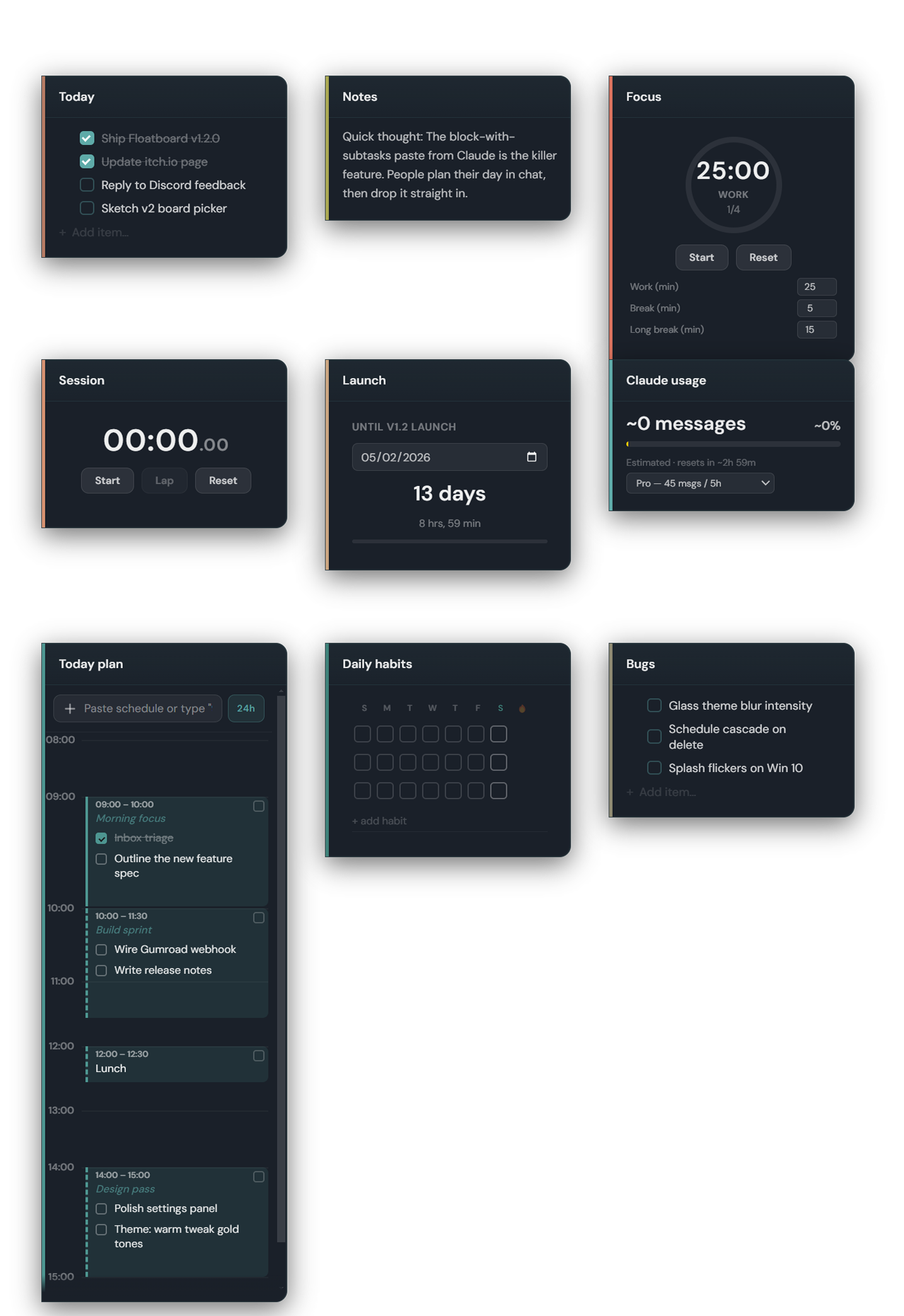
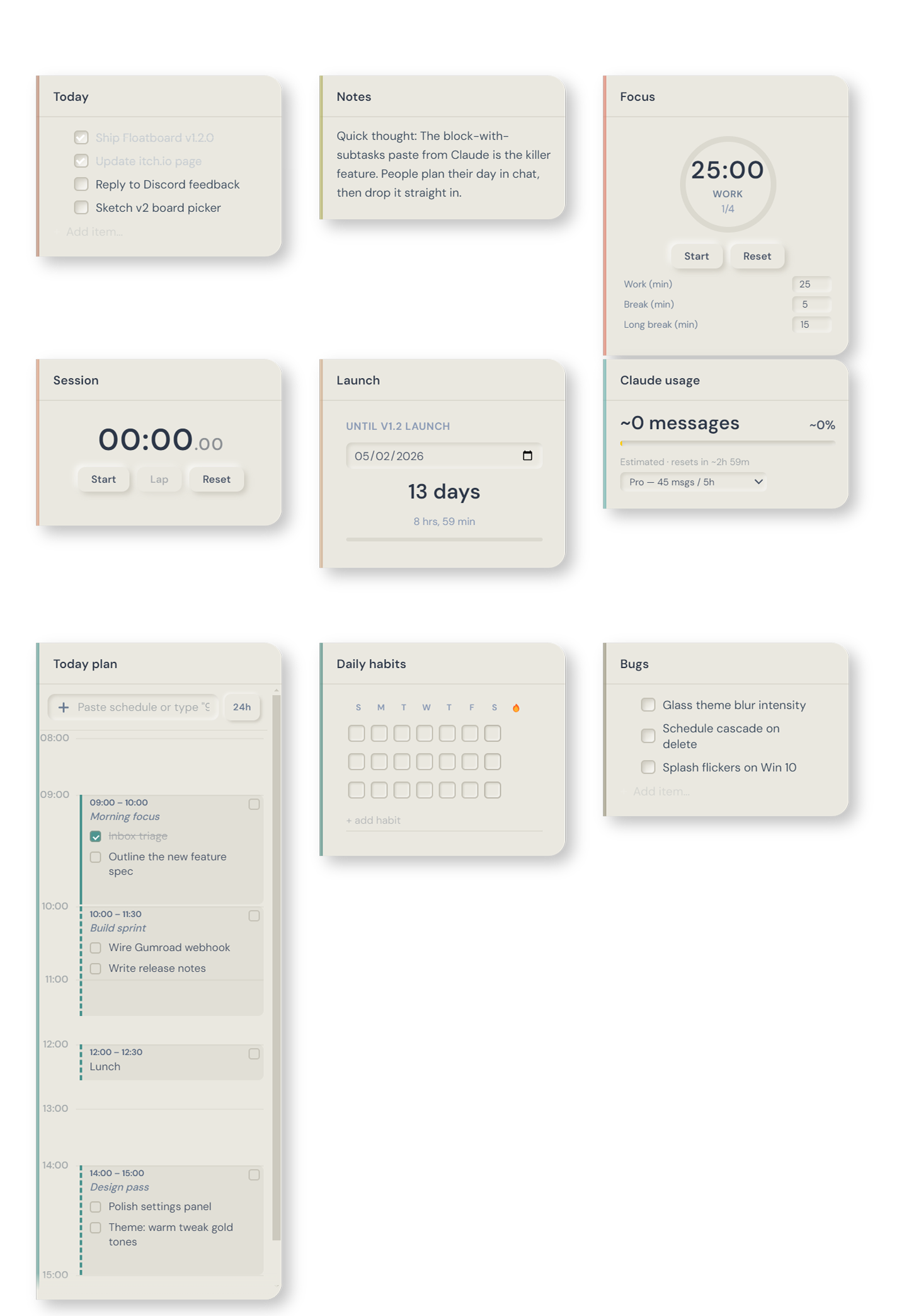
Five themes ship with Floatboard — pick one that suits your desktop:
- **Default** — Minimal monochrome, readability first
- **Warm** — Gold + earth tones
- **Cold** — Cool teals and slate
- **Glass** — Frosted blur of your desktop
- **Neumorphism** — Soft cream UI with pressed depth
---
## Free version
- **Todo cards** with drag-to-reorder items
- **Text cards** with inline formatting
- **Image cards** — paste with Ctrl+V
- Drag, resize, snap, group cards together
- Click-through canvas — empty space passes clicks to the app below
- Auto-save, system tray, global show/hide (Ctrl+Shift+F)
- All free, forever
---
## Floatboard Pro — $4.99 one-time
Unlock all 5 themes plus the full set of productivity cards:
- 🍅 **Pomodoro** timer with work/break cycles
- ⏱ **Stopwatch** with lap support
- ⏳ **Countdown** to any date
- 📅 **Schedule timeline** — paste block-format schedules from AI with subtasks
- ✅ **Habit tracker** with 7-day streaks
- 📊 **Claude Code usage tracker** — live token monitoring
- 💾 3 save slots, board export, templates, per-card opacity
One-time purchase, lifetime updates, no subscription.
👉 [Unlock Pro on Gumroad](https://conderiv.gumroad.com/l/yejuk)
---
## After install
Open Floatboard → ⚙️ Settings → **Enter license key** → paste your key from Gumroad → done. Your Pro features unlock immediately.
---
## Open source
Floatboard's source is on [GitHub](https://github.com/manuelconderiv-source/floatboard) — read the code, file issues, contribute. Your purchase supports continued development.
Download
Leave a comment
Log in with itch.io to leave a comment.